CRM
Manage Relationships & Revenue
Manage accounts, contacts, leads, opportunities, activities, communications, pipelines, campaigns, tasks, customer history, and sales processes from connected records.

Brilliance One Business Operating System
Brilliance One combines CRM, ERP, marketing, communications, automation, websites, scheduling, inventory, documents, reporting, commerce, and business operations in one connected platform.
Manage the customer journey and the work that happens after the sale without forcing your business into a collection of disconnected applications. Start with the capabilities you need, connect your teams around shared data, and expand the platform as your organization grows.
What Is Brilliance One?
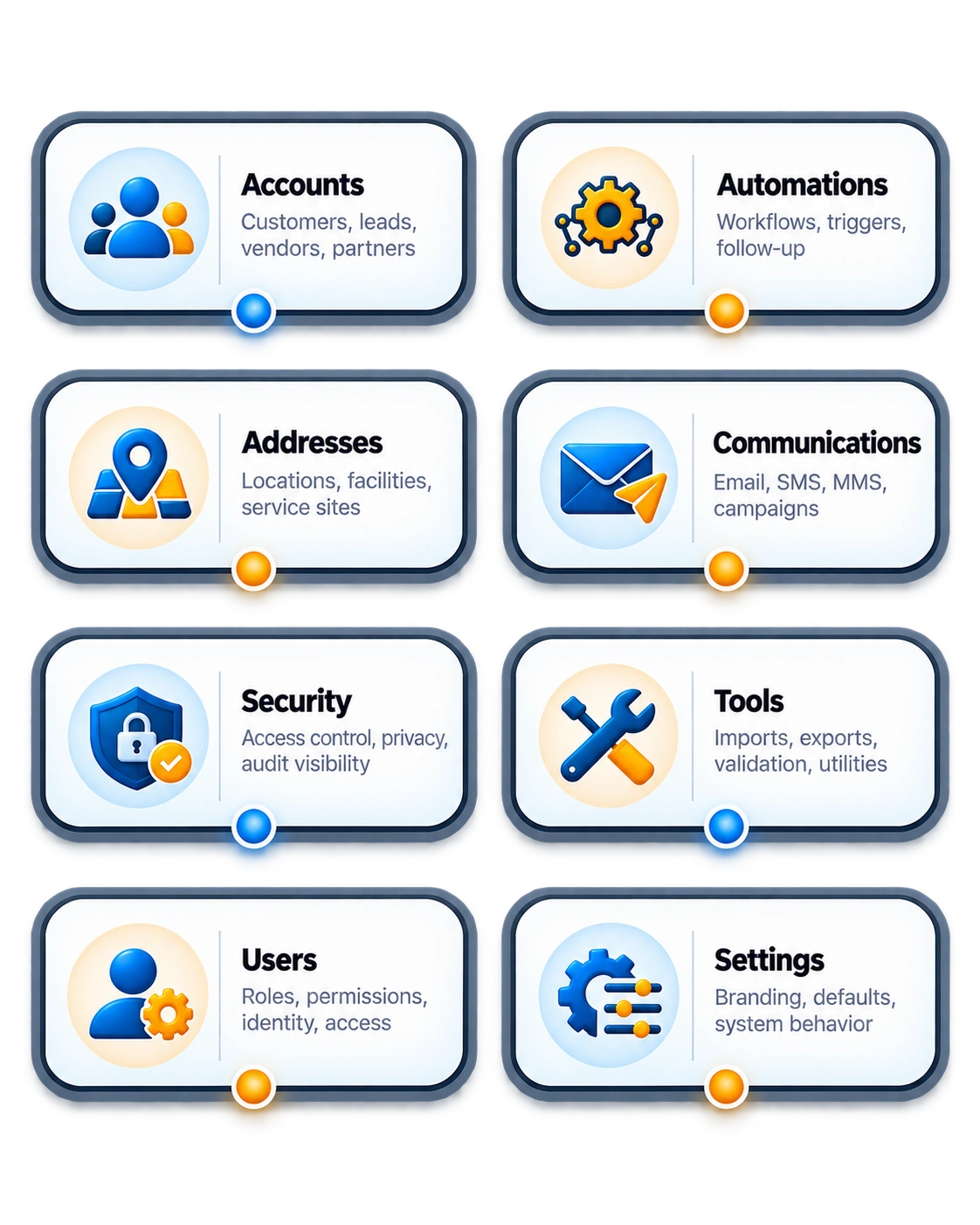
Brilliance One is a modular business operating system that connects customer relationship management, marketing, communications, content, sales, service, operations, commerce, documents, scheduling, reporting, and specialized business workflows.
CRM
Manage accounts, contacts, leads, opportunities, activities, communications, pipelines, campaigns, tasks, customer history, and sales processes from connected records.
ERP
Move beyond traditional CRM with products, inventory, purchasing, projects, scheduling, accounting, point of sale, employees, documents, and operational workflows.
CMS
Connect websites, pages, forms, portals, resources, lead capture, customer experiences, SEO foundations, and digital content directly to your business data.
A Different Kind of Business Platform
Many platforms concentrate on attracting, nurturing, selling to, and supporting customers. Brilliance One is designed to connect those functions with the operational work required to actually run the business.
One Connected Foundation
Brilliance One is designed around connected business records so departments can work from the same customer, product, communication, document, transaction, and operational information.
CRM & Sales
Give sales teams a complete customer relationship management system for organizing prospects, customers, opportunities, communications, follow-up, activity, and revenue opportunities.
Centralize organizations, people, contact information, addresses, communication preferences, relationships, notes, documents, activity, and customer history.
Capture prospects from websites, forms, campaigns, referrals, APIs, imports, and manual entry while maintaining qualification and follow-up history.
Track potential revenue, stages, probability, products, expected close dates, owners, activity, next steps, and sales progress.
Keep calls, meetings, reminders, follow-ups, assignments, notes, and customer activity connected to the records where they belong.
Automate repetitive follow-up, communications, notifications, assignments, tagging, qualification, and other sales processes.
Understand pipeline activity, revenue potential, conversion, follow-up, customer growth, team activity, and business performance.
Business Communications
Communicate with prospects and customers without separating conversations from the customer records, campaigns, automations, and business activity they support.
Support individual, transactional, automated, and bulk email communication from the business platform.
Use text messaging for conversations, reminders, notifications, marketing, and automated workflows.
Associate communication activity with customers and business records instead of leaving conversations scattered across systems.
Manage opt-in, opt-out, suppression, preferences, consent, and communication-related records.
Create reusable messaging for sales, marketing, service, operations, reminders, and automated business processes.
Connect outbound communication with campaigns, customer segments, audiences, responses, and measurable business activity.
Marketing & Automation
Build marketing activity around the same customer and prospect information used by sales and operations so campaigns and follow-up remain connected to real business outcomes.
Organize campaigns, audiences, messaging, schedules, responses, communications, activity, and campaign results.
Build targeted audiences using customer attributes, tags, activity, status, purchases, relationships, and business rules.
Create multi-step workflows combining email, SMS, delays, notifications, tags, conditions, and business actions.
Build consistent follow-up processes that keep prospects engaged and return qualified activity to the sales process.
Connect review requests, customer feedback, reputation workflows, communication, and customer relationship history.
Connect marketing activity with leads, customers, communications, conversions, revenue opportunities, and business outcomes.
Customer Service
Keep customer service activity connected with the relationship, communications, documents, transactions, appointments, and history already maintained throughout the organization.
Track customer questions, problems, requests, responsibility, priority, status, activity, and resolution.
Organize customer-related work by team, department, responsibility, priority, workflow, or business process.
Build reusable internal and customer-facing knowledge, FAQs, procedures, documentation, and support information.
Give customers a secure destination for information, documents, requests, communication, and interaction with your business.
Bring communications, activity, appointments, documents, transactions, requests, and continuing relationship history together.
Use connected information to understand customer activity, workload, recurring issues, business demand, and service performance.
ERP & Business Operations
Extend customer relationship management into the operational systems required to deliver products, services, projects, appointments, transactions, and day-to-day business activity.
Manage products, SKUs, categories, pricing, quantities, inventory locations, serialized assets, availability, and inventory movement.
Connect estimates, quotes, invoices, line items, products, customers, payment activity, and financial records.
Manage vendors, purchasing activity, purchase orders, received inventory, operational costs, and business sourcing.
Organize customer and internal projects, responsibilities, work, deadlines, notes, activity, documents, and related business records.
Coordinate appointments, employees, resources, availability, capacity, events, customer scheduling, services, and calendar-based workflows.
Connect physical transactions with products, inventory, customers, payments, receipts, activity, and operational reporting.
Scheduling & Appointments
Use scheduling as part of the business workflow instead of treating appointments as isolated calendar events.
Connect scheduled appointments directly to customer and business records.
Coordinate staff availability and responsibility around business services and appointments.
Support schedules that depend on rooms, equipment, locations, or other business resources.
Support appointments and events where more than one attendee or participant may be allowed.
Use scheduling activity as part of communications, reminders, follow-up, customer service, and operations.
Build scheduling into a platform designed to work with external calendar and meeting services.
CMS, Websites & Digital Experience
Brilliance One connects website content, forms, lead capture, customer data, communications, CRM activity, portals, and business workflows so your digital presence is part of the platform instead of another disconnected system.

Commerce & Transactions
Bring products, inventory, transactions, payments, customer history, and operational activity together instead of maintaining separate records for sales and fulfillment.
Use shared product information across CRM, inventory, POS, quotes, invoices, and digital experiences.
Track quantities, locations, movement, serialized products, availability, and operational inventory.
Connect buying activity and operational transactions to customer and product records.
Support payment-related activity while keeping the financial interaction connected to the customer relationship.
Bring in-person sales into the same product, inventory, customer, payment, and reporting environment.
Build online selling experiences around the same products and customer data used by the rest of the organization.
Documents & Business Knowledge
Associate documents and business knowledge with the customers, products, transactions, projects, workflows, employees, and operational records they support.
Store and organize business files with classification, ownership, access controls, metadata, and connections to relevant business records.
Maintain controlled business records and the information required to understand document activity and changes.
Build reusable information for employees, customers, websites, portals, service teams, business processes, and AI-assisted experiences.
Reporting & Business Intelligence
Reporting becomes more useful when customer, sales, marketing, communication, operational, scheduling, product, and transaction information are part of the same business ecosystem.
Workflow Automation
Use automation to reduce repetitive work across marketing, sales, communications, customer relationships, notifications, internal activity, and operational processes.
Send communication as part of customer journeys and business workflows.
Use automated text messaging for follow-up, alerts, reminders, and other supported processes.
Build multi-step processes that continue over the timeframe appropriate for the business workflow.
Automatically organize records and use business information to guide continuing processes.
Keep employees informed when important business events require attention.
Use automation across platform modules instead of creating isolated workflows for disconnected applications.
AI Across the Business
Brilliance One is designed so AI-assisted capabilities can work around connected customer records, communications, content, documents, workflows, reporting, and operations instead of existing as a separate tool with limited business context.
API-First Business Platform
Brilliance One uses an API-first architecture so websites, applications, integrations, automation, services, and future technology can interact with the platform without requiring the entire business to depend on one frontend.
Expose supported business capabilities through consistent application interfaces.
Connect outside applications and services where they add value to business operations.
Build customer and employee experiences using the frontend technology appropriate for the project.
Add new capabilities without rebuilding the entire business platform every time requirements change.
Allow supported business events and integrations to participate in connected workflows.
Provide a foundation for custom applications, integrations, portals, and specialized business requirements.
Security & Compliance-Aware Architecture
Brilliance One is designed around customer isolation, identity, access control, authentication, auditing, secure application architecture, and compliance-aware data handling.
Security Foundation
Security and regulatory requirements vary by organization and industry. Brilliance One is designed to provide a foundation for businesses that require controlled access, customer isolation, auditing, security workflows, and regulatory awareness.
Industry-Specific Business Software
Brilliance One combines common business capabilities with specialized modules and workflows so an organization does not need to replace its entire system just to support industry-specific requirements.
Connect CRM, marketing, projects, scheduling, documents, communications, billing, customers, websites, and internal business operations.
Connect customers, service locations, employees, scheduling, jobs, communications, products, documents, and field workflows.
Extend the platform with firearms-industry workflows connecting operational records, inventory, compliance processes, transactions, customers, and business activity.
A Broader Business Platform
Brilliance One is designed for organizations that want customer-facing tools and operational business software working together rather than maintaining separate platforms for every stage of the business.
Customer Platform
Manage leads, customers, pipeline, communication, marketing, automation, campaigns, service activity, content, and relationship history.
Business Operations
Continue beyond customer acquisition with products, inventory, vendors, purchasing, projects, scheduling, documents, transactions, POS, and business operations.
One Foundation
Bring customer relationships and operational work together on a modular, API-first platform without charging for every additional user.
Why Brilliance One?
Brilliance One is designed to reduce software fragmentation while giving organizations room to expand their business systems without repeatedly starting over.
Add the people your business needs without making every additional employee another recurring software charge.
Start with the capabilities your organization needs and expand the platform as business requirements change.
Reduce duplicated records, disconnected tools, repeated integrations, and scattered customer and operational information.
Use Brilliance One as an extensible business platform rather than treating it as a closed application.
Build access control, authentication, auditing, customer isolation, and security-conscious architecture into the platform foundation.
Grow from CRM into marketing, automation, operations, scheduling, commerce, CMS, documents, reporting, and specialized workflows.
One Connected Ecosystem
Brilliance One is built so the capabilities your organization uses can share the same business foundation instead of behaving like unrelated applications.
Implementation
Brilliance One is modular by design. Deploy the foundation and capabilities your business requires today, then expand the system as operations, teams, customers, and requirements grow.
Establish your business environment, security structure, users, configuration, data foundation, and core business records.
Start with CRM and the modules your organization needs rather than deploying software complexity simply because it exists.
Add automation, operations, scheduling, customer experiences, reporting, integrations, specialized modules, and additional workflows over time.
Frequently Asked Questions
Learn what Brilliance One is, how its CRM and ERP capabilities work together, how modules are added, what businesses can manage in the platform, and how the system can grow with your organization.
See Brilliance One
See how Brilliance One can connect CRM, ERP, marketing, communications, automation, websites, scheduling, products, inventory, documents, commerce, reporting, security, and operational workflows in one modular business platform.
Brilliance One • CRM + ERP + CMS • Business Operating System • API First